· guides, reference
Variable fonts explained: one file, every weight
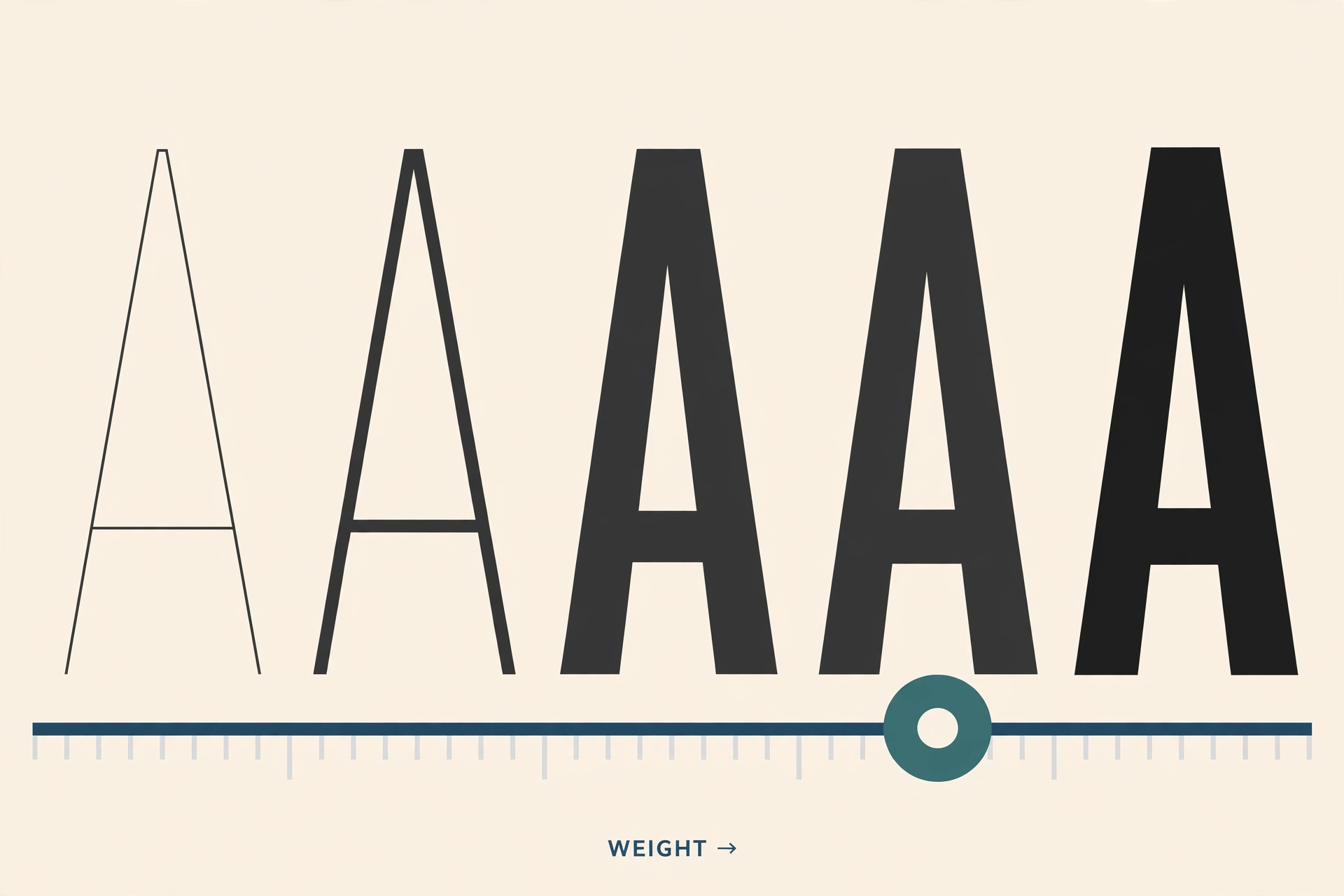
A traditional font family is a folder. Regular in one file, Bold in another, Semibold Condensed Italic in a third, and a website that wants six styles loads six files. A variable font replaces the folder with a single file and a set of sliders. Inside that file, the designer has defined a space of possible letters, and the software using the font can stop anywhere in the space: weight 437, width 82, a slant of 4 degrees. Every value between the extremes exists, because the file stores the extremes and the rules for blending between them.
Variable fonts are an OpenType extension, announced in 2016 by Adobe, Apple, Google, and Microsoft together, and they have quietly become the default way new typefaces ship. Google Fonts alone offers hundreds of variable families. This page explains how they work, lets you drive one, and covers exactly where they are supported in 2026, in browsers and in design software.
Axes: the sliders inside the file
The dimensions a variable font can move along are called axes. Five are registered, meaning every font, program, and browser agrees on their names and tags:
| Axis | Tag | What it moves | Typical range |
|---|---|---|---|
| Weight | wght |
Thin to black | 100 to 900 or 1000 |
| Width | wdth |
Condensed to extended, as a percentage | 50 to 200 |
| Optical size | opsz |
How the letters are drawn for small vs large sizes | 6 to 144 (point sizes) |
| Slant | slnt |
Upright to oblique, in degrees; negative values lean forward (to the right), positive values lean back | About -20 to 0 for a forward oblique |
| Italic | ital |
Swaps roman letterforms for true italic ones | 0 or 1 (a switch, not a slider) |
Designers can also invent custom axes for anything they can draw two versions of: the softness of corners, the height of ascenders, how casual the letterforms feel. Custom axes have uppercase tags, and they are where variable fonts get playful. Fraunces, a popular serif, has axes for softness and for “wonk”, which swaps in deliberately lopsided letterforms.
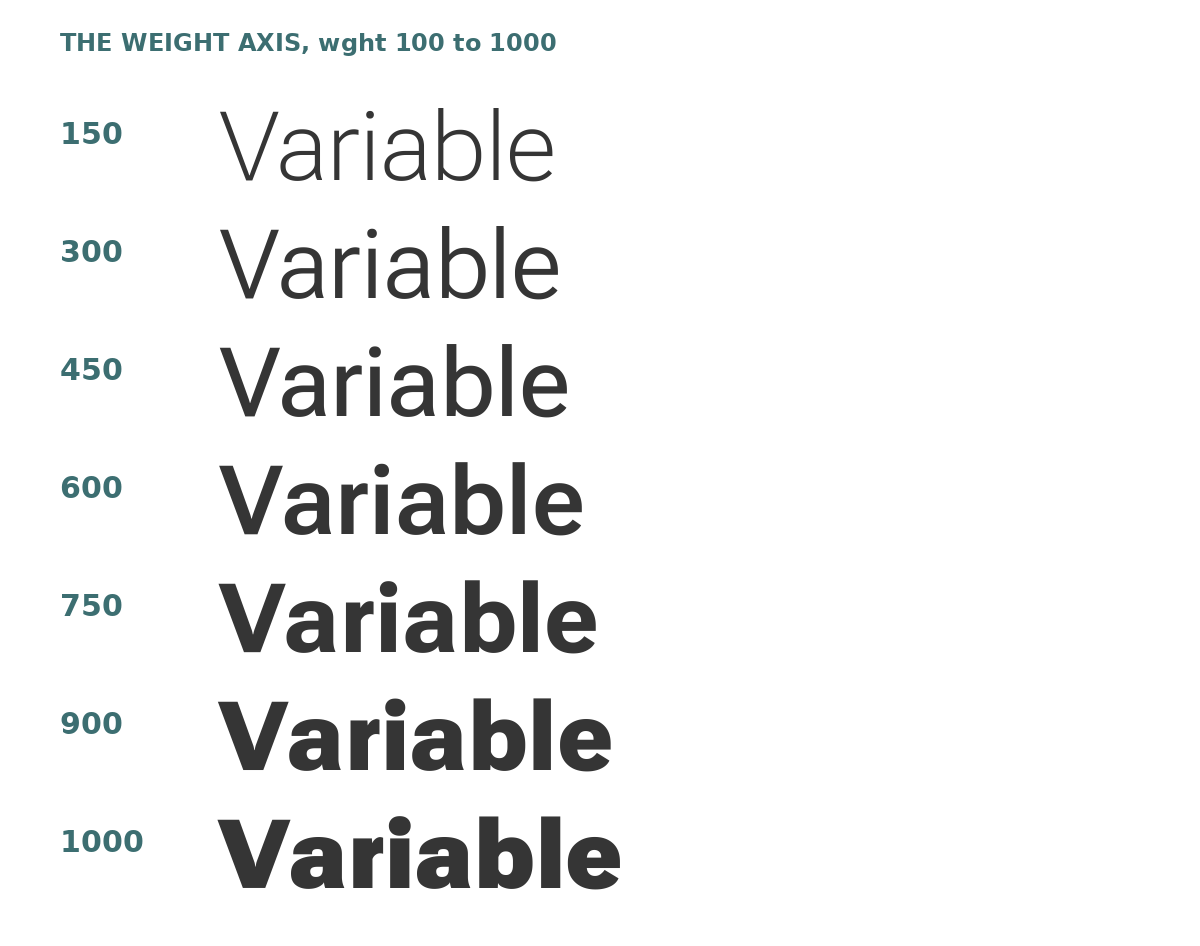
If some of these axes look familiar, they should. font.io measures every static style on these same dimensions: the weight, width, and slant numbers on a font page are single readings taken at one point in a design space. A variable font is what you get when the whole space ships in one file. The playground font below, for instance, spans weights 100 to 1000, widths 25 to 151 percent, optical sizes 8 to 144, and slants from upright to a slnt of minus 10, which leans 10 degrees forward. Those ranges were read from the font file itself, not from its marketing page.
Try it: the playground
Everything above, live. The specimen below is set in Roboto Flex, a real variable font embedded in this page. Drag the sliders.
every setting.
The font above is Roboto Flex, a real variable font loaded by this page (about 244 KB for the Latin subset). Every stop on every slider is drawn live by your browser from that one file. Nothing here is an image.
Three things worth doing while you are here. First, drag Weight slowly and watch the marker travel its track: there is no jump between named styles, because there are no styles, only positions. Second, hit the Condensed Bold preset, then pull Width back toward 100: that stretch is a single axis doing the work that used to require a separate Condensed family. Third, set Optical Size to 14 (the Text preset), then to 120: at 14 the letters are sturdier and simpler, built for small print; at 120 they are finer and more delicate, built for headlines. Same file, same weight, different drawing.
Optical size deserves a paragraph of its own
Optical sizing is the oldest idea in type founding wearing new clothes. Metal type was cut per size, and small sizes were drawn sturdier, with bigger x-heights and looser spacing, because fine details clog and vanish at 8 points. Phototype and early digital fonts lost this, using one drawing for every size, and small text got more fragile as a result. The opsz axis restores it: the font carries a small-size drawing and a display drawing, and blends between them.
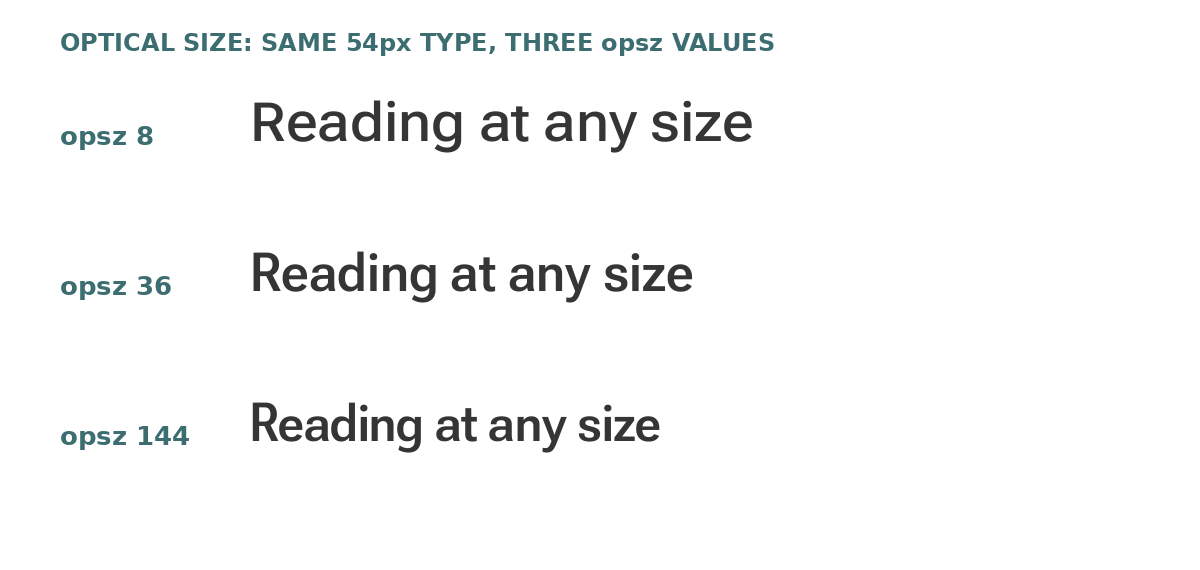
On the web, font-optical-sizing: auto (the default) sets the axis from the text’s actual size, so body text gets the sturdy drawing and headlines get the fine one without the author touching anything. It is the one axis most readers will benefit from without ever knowing it exists.
Browser support in 2026: the short answer is yes
Variable fonts are not an experiment anymore. Support landed in every major browser in 2017 and 2018 and has been universal since (figures from caniuse, checked October 2026):
| Browser | Variable fonts since |
|---|---|
| Chrome | 66 (2018; partial in 62) |
| Edge | 17 (2018) |
| Firefox | 62 (2018) |
| Safari | 11 (2017) |
| Safari on iOS | 11 (2017) |
| Samsung Internet | 8.2 |
| Opera | 53 |
In practice: if a browser is new enough to be in use today, it renders variable fonts. The variable part of the support question has moved on to which CSS properties and custom axes a given browser exposes, and even there the registered axes work everywhere. There is no fallback planning to do for modern audiences beyond what the CSS section below describes.
How to use variable fonts on the web
Loading one is an ordinary @font-face, with one change: the descriptors take ranges instead of single values, telling the browser this file answers for every weight and width in between.
@font-face {
  font-family: "Roboto Flex";
  src: url("/fonts/robotoflex.woff2") format("woff2");
  font-weight: 100 1000;
  font-stretch: 25% 151%;
  font-display: swap;
}
Two levels of control then exist. The high-level properties map to registered axes and are what you should reach for first, because they behave like normal CSS (they inherit, they cascade, and screen readers and find-in-page see sensible values):
h1 {
  font-weight: 720;              /* any value in the range, not just named stops */
  font-stretch: 82%;              /* the wdth axis */
  font-optical-sizing: auto;      /* opsz follows the font size */
}
The low-level property, font-variation-settings, sets axes by tag and is the only way to reach custom axes. It is also a footgun: it overrides the high-level properties rather than combining with them, and it resets anything you do not repeat. Use it for custom axes and keep the registered axes in their own properties.
.fraunces-display {
  font-variation-settings: "SOFT" 50, "WONK" 1;
}
Because axis values are numbers, they animate. A CSS transition on font-weight glides a headline from 300 to 800 on hover, from the same single file, with no JavaScript and no extra downloads. This is also the honest performance story: our playground font, carrying four axes and its full Latin character set, is about 244 KB as a woff2. One variable file that replaces four or more static files usually wins on total bytes the moment a design uses more than two or three styles, and it always wins on flexibility. Serving variable fonts through Google Fonts gives you this automatically, since most families there are variable by default now.
Which design software supports them, and how
- Photoshop and Illustrator: both added variable font support in the CC 2018 releases. Select text set in a variable font and the Character (or Properties) panel shows a variable-font button that opens sliders for each axis the font carries. The style menu also lists the font’s named instances if you prefer picking to sliding.
- InDesign: the latecomer of the Adobe trio. Current versions support variable fonts with sliders in the Character panel, and Adobe lists the feature in the current release; older InDesign versions either lack it or behave erratically, so check your version before a print deadline depends on it.
- Figma: variable fonts arrived in 2022. Text set in a variable font gets a variable section in the type settings, with sliders per axis and named instances as presets. Values set in Figma map one-to-one to the CSS numbers, which removes the old “which Semibold did the designer mean” handoff problem.
- Sketch: supports variable fonts and their axes, with the caveat that custom axes may not all surface in its interface. Registered axes are safe.
- Font editors: Glyphs, FontLab, and RoboFont are where variable fonts are authored (masters, instances, and axis ranges are set there), and each exports them; our guide to making your own font covers all three. Exports from smaller tools vary: BirdFont’s paid tiers export variable fonts, while browser tools like FontStruct produce static files only.
The pattern to teach your hands: install or open the font, look for a sliders icon or a “variable” section near the style menu, and if the app shows only named instances, you are looking at the same positions with labels on them.
Static or variable: choosing in practice
Variable is not automatically better, and a few honest qualifications close the post:
- One or two styles needed? Two static files can be smaller than one full-range variable file. Variable wins as style count grows.
- Named instances are the bridge. Variable fonts ship with labeled positions (Regular, Semibold, Condensed Bold) that appear in normal font menus, so nobody on a team is forced to think in numbers.
- Not every family is variable, and not every variable font has every axis. A font with only a weight axis is still variable, and still useful. Check the axes before designing around one: the tag list in the playground above is the kind of disclosure to look for. (font.io font pages list axis ranges for variable families, alongside the per-style measurements for static ones; Bodoni Moda, for example, spans weights 400 to 900 and optical sizes 6 to 96.)
- Licensing barely changes. A variable font is licensed like a family, not per position; you do not owe anyone for using weight 437. Our font licensing explainer covers how the license types map.
The folder-of-files family served print for five centuries. The single file with sliders is simply the same idea, redrawn for screens that change size, and for readers who deserve type tuned to the exact weight the design wanted, not the nearest one that happened to be installed.
To feel the axes rather than read about them, Set Point hides a weight and a width in a live variable font and scores how close your sliders land.