· fontlab, software, history
TransType: the converter that rebuilds fonts
TransType is FontLab’s batch font converter for Mac and Windows, born in the format wars of the 1990s. Where most converters copy a font’s tables into a new wrapper, TransType reads each font into FontLab’s own font model and writes a fresh font out the other side, rebuilding curves, hinting, and layout features on the way through.
A converter from the format wars
Type 1 for print and Mac, TrueType for Windows. Fonts stranded on both sides.
Its converter moves fonts between formats from inside the editor.
FontLab licenses Fontographer; the converter becomes its own product.
Batch conversion, Multiple Master instances, Python macros. Needs 32 MB of RAM.
Variable instances, color fonts, WOFF2. The same rebuild engine.
A bridge built for one war, still standing after it.
In the 1990s a font was a prisoner of its platform and its format. Type 1 belonged to the PostScript world of print and the Macintosh, TrueType belonged to Windows and the screen, and a file made for one side was dead weight on the other. The first famous bridge was the converter Altsys built into Fontographer, whose story we tell in the Metamorphosis post. FontLab licensed Fontographer from Macromedia in 2005, and the dedicated converter’s job became TransType: a standalone program whose whole purpose was moving fonts across the divide, hundreds at a time.
Our reference copy is TransType Pro 3, the mid-2000s edition, and its manual reads like a census of a vanished world. It imports Mac suitcases and dfonts, PC and Mac Multiple Master fonts, TrueType GX, FontLab’s own VFB editor files, and fonts still packed inside StuffIt archives, and it exports back out to nearly the same list on both platforms. Its stated requirements are 32 megabytes of RAM, a mouse, and Windows 95 or Mac OS 9.2.
The divide it bridged is gone. Modern systems read both OpenType flavors natively, and conversion is usually a menu item or a library call. But the way TransType worked, rebuilding instead of translating, is why FontLab still sells it, now as TransType 5, long after the war it was built for ended.
Rebuild, not translate
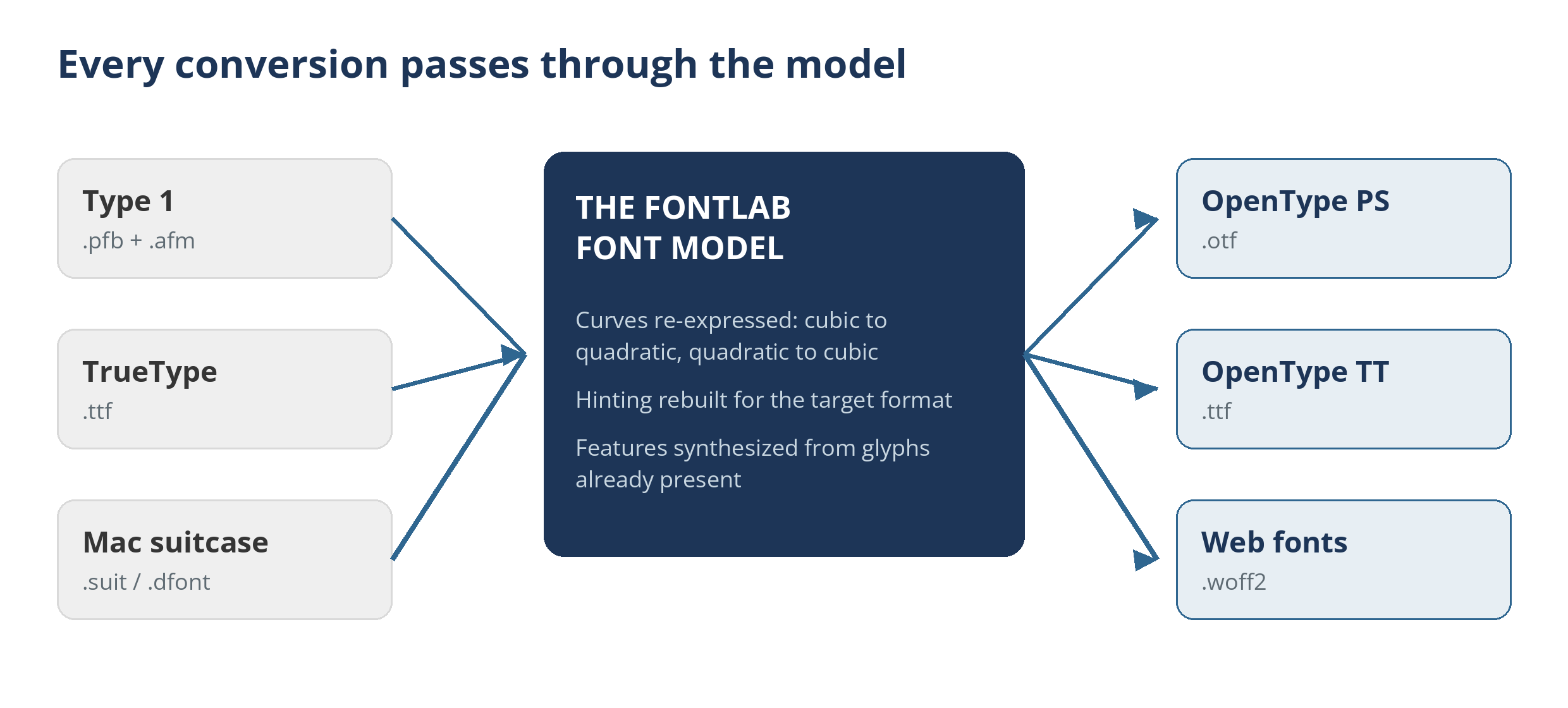
Table copying moves the packaging. The rebuild also re-draws the outlines.
A font carries two kinds of cargo: outlines drawn as curves, and everything else (names, metrics, kerning, layout features, hinting) packed into tables. A table-copying converter handles the second kind well enough, but the outlines change language between formats. Type 1 and OpenType PS draw with cubic curves; TrueType and OpenType TT draw with quadratic ones. Every glyph has to be re-expressed in the other mathematics, and TransType does that work inside FontLab’s font model, the same internal representation its font editors use.
Two consequences follow. First, hinting cannot ride along, because the two formats hint in different systems. On a TrueType to Type 1 conversion, TransType applies what its manual calls “special autohinting algorithms” and builds fresh Type 1 hints; convert a Type 1 font onward from Type 1 and the original hinting is preserved instead. Second, a rebuild can add structure the source never declared. Exporting OpenType, TransType Pro could synthesize basic ligature and fraction features by recognizing glyphs already in the font, the fi shape, the onehalf shape, and writing the feature tables that point at them. The glyphs were always there. The conversion supplied the wiring.
The same rebuild let it generate the bitmap screen fonts a Mac Type 1 package needed, rendered with a built-in FreeType rasterizer, and to attempt repairs on fonts damaged enough that the system refused them. Our guide to converting a font measures what survives a modern conversion, direction by direction. TransType is the tool on that page’s bench that was built to do it at library scale.
The Multiple Master trick
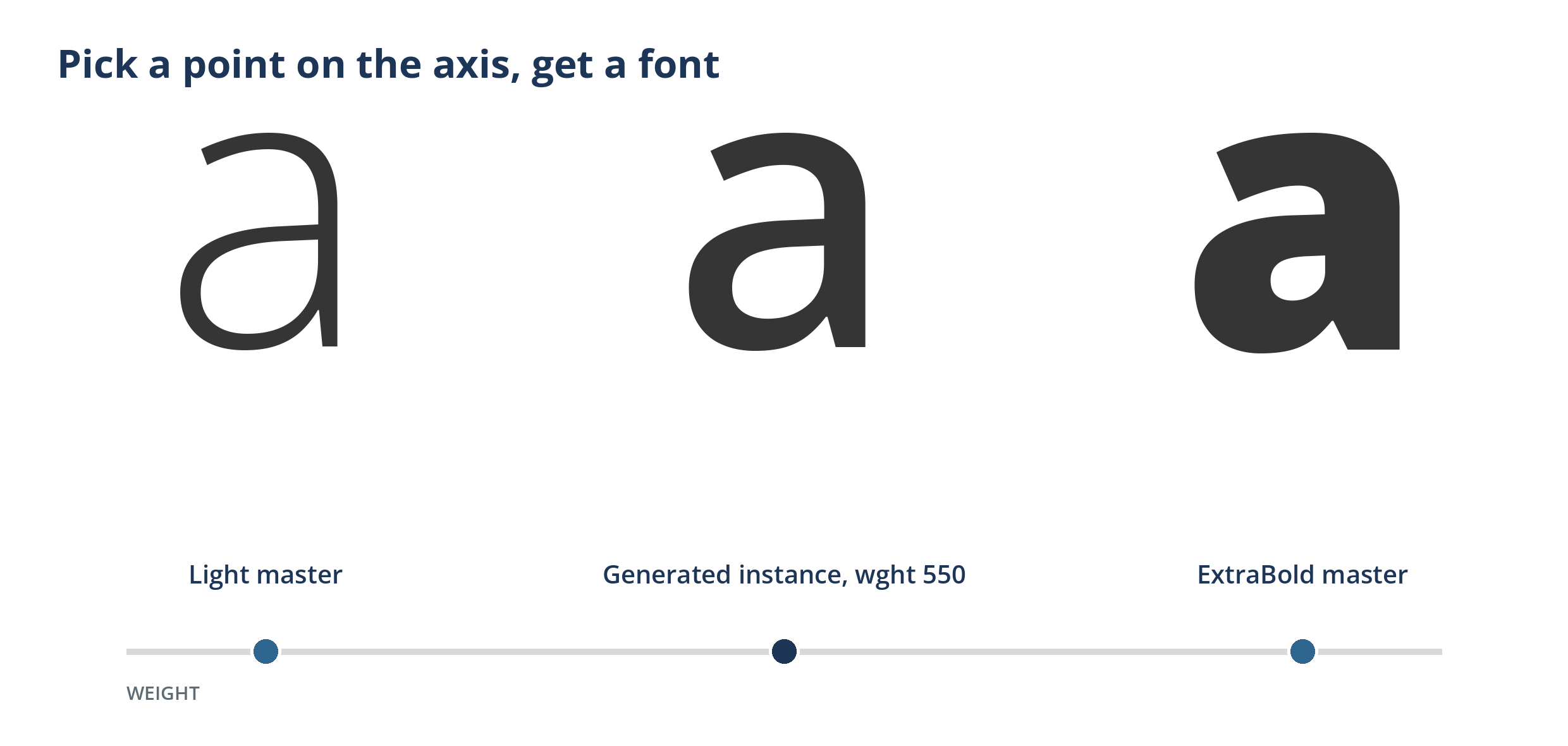
Two masters and a slider: the instance in the middle was never drawn by anyone.
Multiple Master was Adobe’s 1990s answer to the variable font: one file holding two or more master designs, with any in-between instance generated on demand. Almost nothing reads a Multiple Master font today, which makes TransType’s party trick a rescue. It converts Multiple Master fonts into ordinary formats, and for a single-master output the user picks the instance by dragging Weight, Width, and Optical Size sliders and previewing the result, while TransType interpolates the outlines and names the output from its coordinates: 367 wt, 585 wd, 11 op, in the manual’s own example.
The idea did not die with Multiple Master. It changed containers. A variable font holds the same masters-and-axes model inside an OpenType file, and TransType 5’s Add Instance does the same job for it: open a variable font, choose the instances you need, and export them as static fonts that work in every application, including the many that still cannot handle variability. Thirty years apart, the slider is the same. Only the file format around it changed.
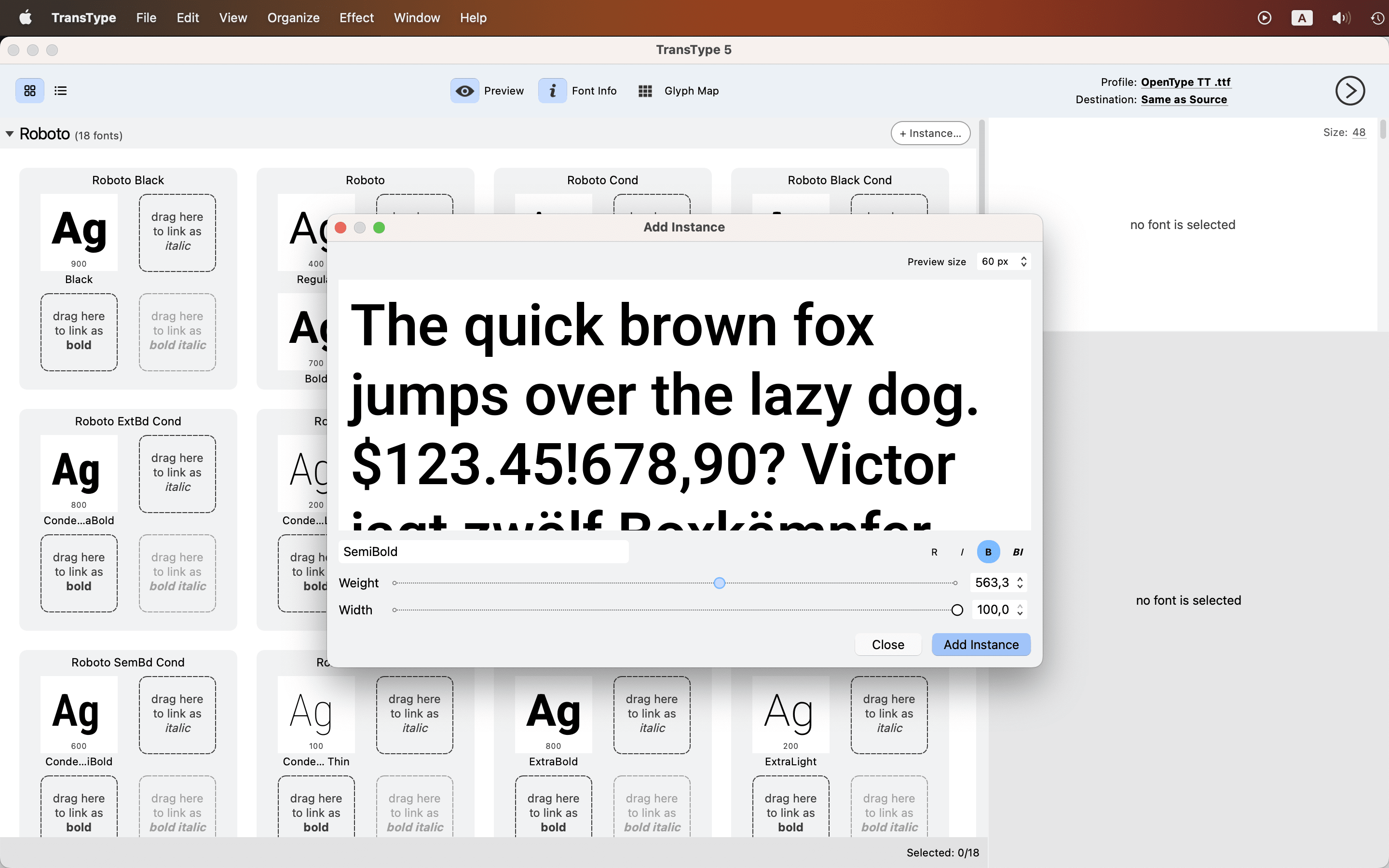
The same slider, thirty years on: Add Instance in TransType 5. Screenshot: FontLab, fontlab.com, accessed October 19, 2026.
Built for libraries, and scriptable
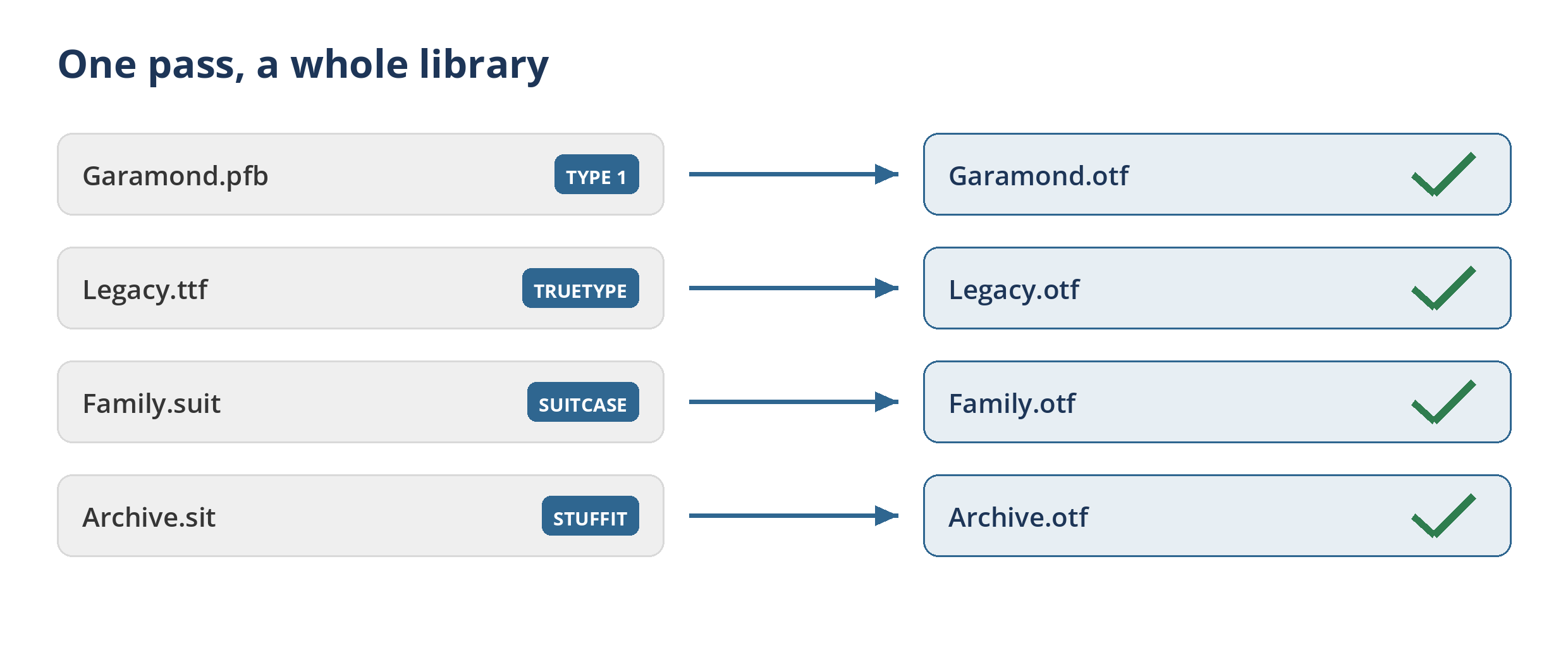
The unit of work is the library, not the file.
TransType was designed for jobs where one font is never the unit of work. It converts in batches, keeps families together, builds Mac suitcases from loose PC fonts and regroups suitcase fonts back into families, fixes the style linking between regular, bold, and italic faces, converts encodings and assigns codepages, strips TrueType tables a target platform does not need, and renames fonts across a library in one pass.
The Pro edition added a Python macro system: conversion pipelines written as scripts against TransType’s own classes, so a foundry or an archive could encode its house rules once and run them over every batch after. That is the clearest sign of the intended customer. Not a designer converting one file, but whoever maintains the catalog, and has to convert it again next year.
TransType today
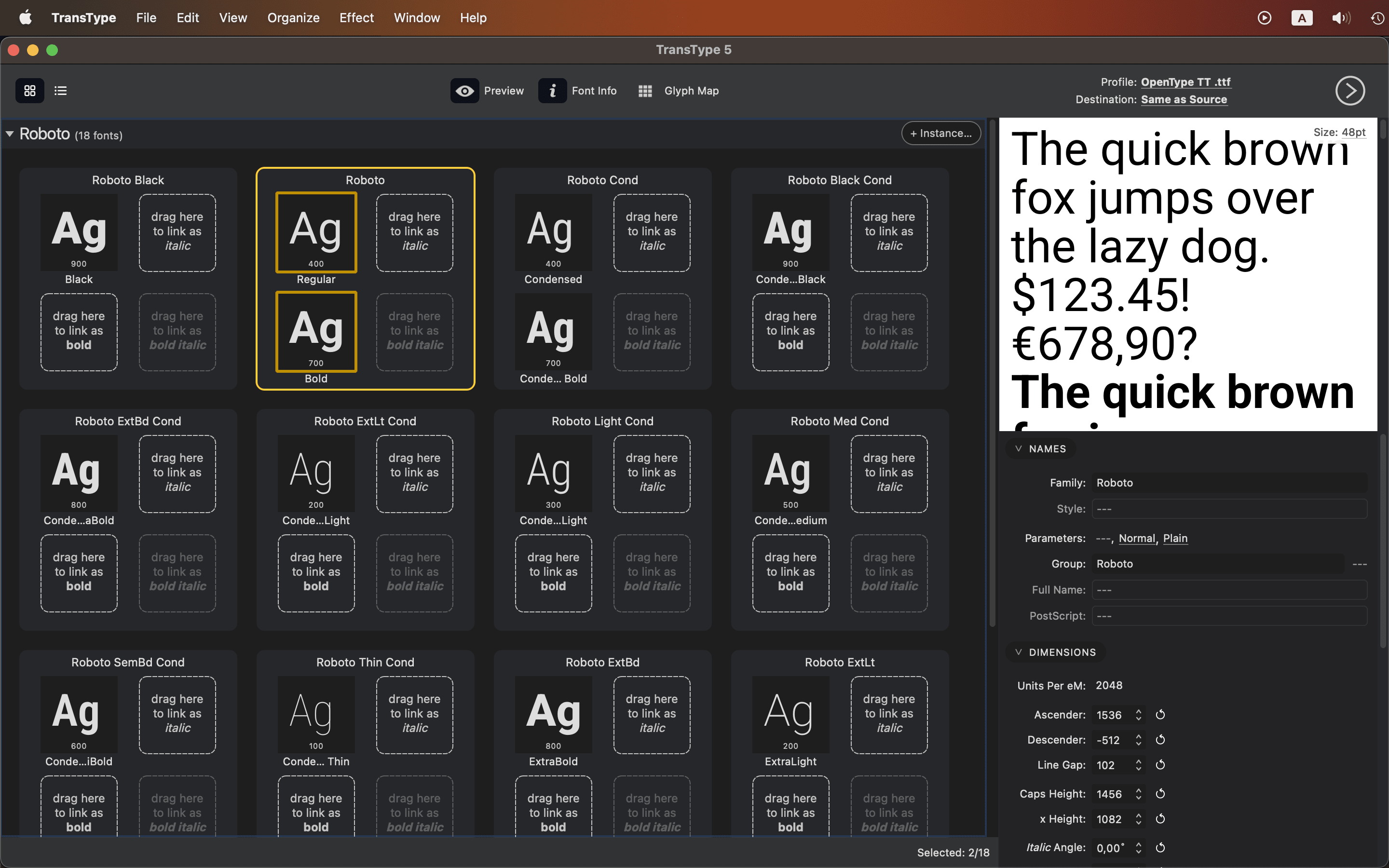
The current edition: family grid, style linking, live preview, one Convert button. Screenshot: FontLab, fontlab.com, accessed October 19, 2026.
TransType 5 is the current edition, for Mac and Windows, and the format net has widened with the times. It opens modern editor sources (FontLab’s own project formats, Glyphs files, UFO, Fontographer and FontForge projects) alongside the legacy formats, converts between the color font flavors (SVG, COLR, sbix, and CBDT), exports WOFF2 web fonts, and still leads with the old headline act, reviving Type 1 fonts into OpenType. Converting between flavors still builds fresh hinting, now with a choice of FontLab’s hinter or ttfautohint. A trial converts ten fonts free, and the license covers two computers with no subscription.
For a single file, the free tools in our conversion guide are usually enough. TransType earns its price where it always did: a library to move, a family to keep intact, a dead format to resurrect, or an in-between weight that exists only as a position on a slider.