· guides, reference
Color fonts explained
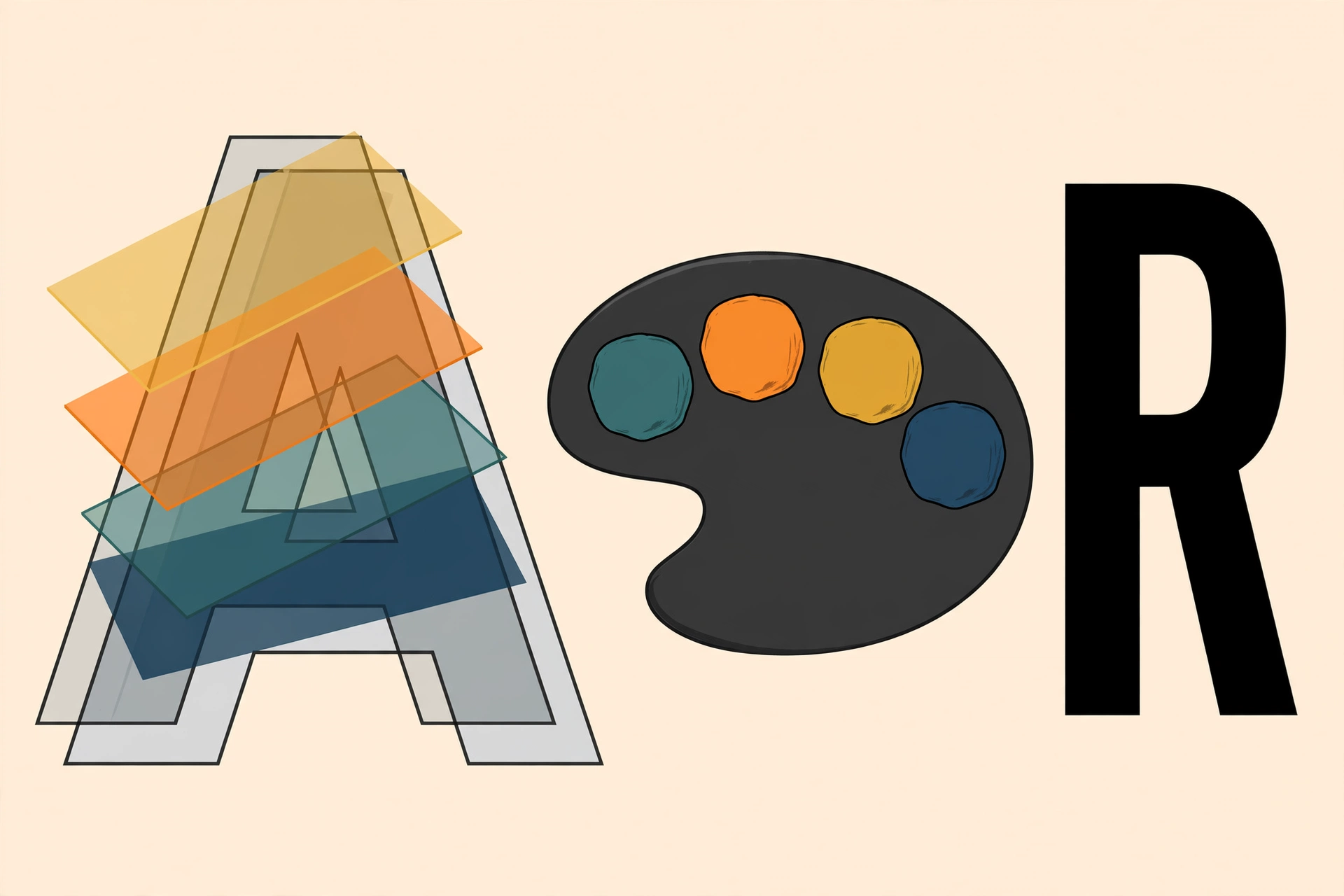
Every font you have ever used makes a deal with the software around it: the font supplies shapes, and the program supplies color, one flat color for everything the font draws. Color fonts break that deal. The colors live inside the font file itself, attached to the glyphs, so a single character can be red and gold at once, shaded with a gradient, or drawn as a small full-color picture. You have used one today, probably within the last hour: every emoji on your phone is a color font at work.
For display type, this changes what a font can be. A color typeface can ship as a finished piece of lettering, wood-type shading, inline stripes, and gradients included, instead of an outline the designer hopes you will color tastefully. This post explains the four ways color is stored in fonts, shows real specimens rendered from real files, and covers the practical questions: which browsers and which design apps render which format, how to use color fonts on the web, and where the whole thing silently falls back to flat black.
One font in this story: Nabla
Most specimens below come from a single file, Nabla, a display face Google gives away under the Open Font License. Its letters are drawn as isometric blocks, and it exists to show off the technology: inside the one file sit layered color glyphs, gradient shading, seven ready-made color palettes, and a second complete copy of the artwork in another format as a spare. Here is its word for the subject, rendered from the file itself on our machine:
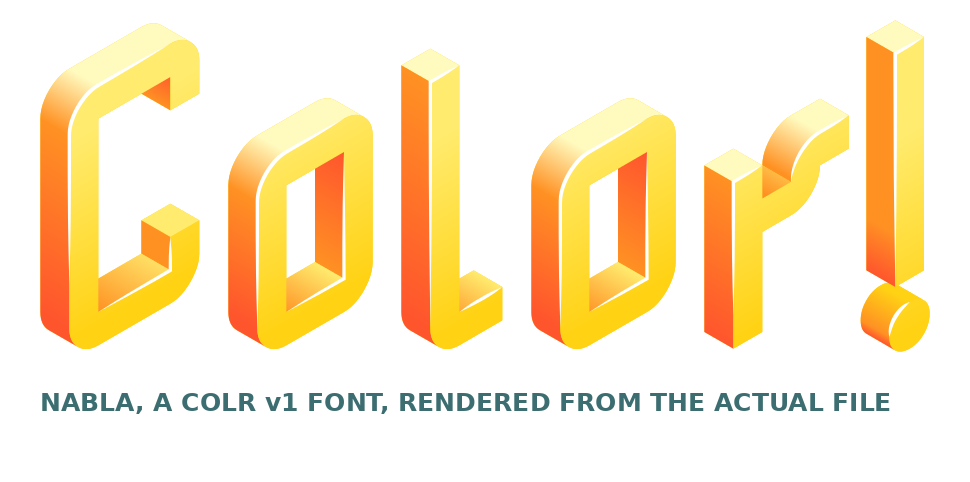
No image editing produced that. The gradients, the orange sides, the pale tops are all data in the font, and any program that understands the format draws it exactly so.
The four formats
Color fonts are not one technology but four, invented by different companies for different reasons, and a font file picks one (or, like Nabla, carries two as insurance). The format decides everything downstream: quality, file size, and which programs can show the color at all.
| Format | How the color works | Best at | Watch out for |
|---|---|---|---|
| COLR v0 | Each glyph is a stack of ordinary glyph layers, each layer filled with one flat color from a palette table (CPAL) | Crisp vector color at any size; small files | Flat colors only, no gradients |
| COLR v1 | The v0 idea rebuilt: gradients, transforms, and compositing inside the glyph | Full shaded artwork, like Nabla above | Safari still does not render it (see below) |
| OpenType-SVG | Each glyph contains a small SVG illustration, the same format web graphics use | Anything SVG can draw, including very fine detail | Chrome and Edge never supported it |
| Bitmap (CBDT / sbix) | Each glyph is a stored picture (PNG) at a few fixed sizes | Emoji: shaded, photographic glyphs | Blurry or missing at sizes between the stored ones |
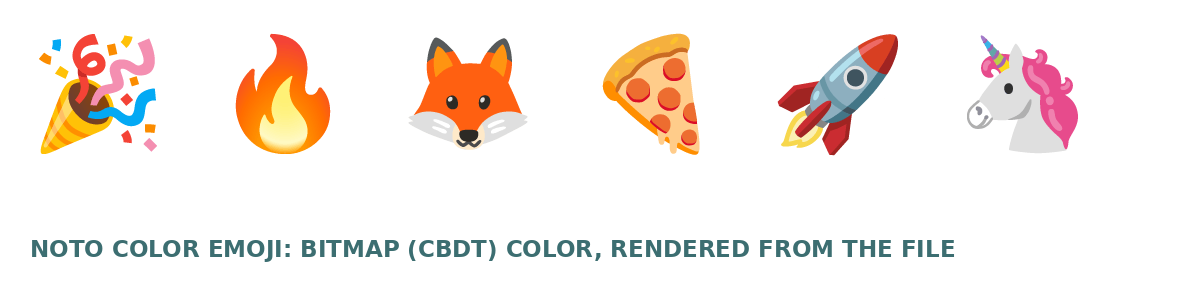
The emoji on your phone are the bitmap and COLR branches of this family tree: Apple’s Color Emoji stores pictures (the sbix flavor of bitmap), Microsoft’s Segoe UI Emoji is built from COLR layers, and Google’s Noto Color Emoji is a bitmap font (CBDT), the same file we rendered this row from:
Palettes: recoloring a font without touching it
COLR fonts do not hard-code their colors. The layers point at numbered slots in a palette table, and the font ships one or more palettes that fill those slots. Nabla ships seven. Here they all are, read straight out of its palette table:
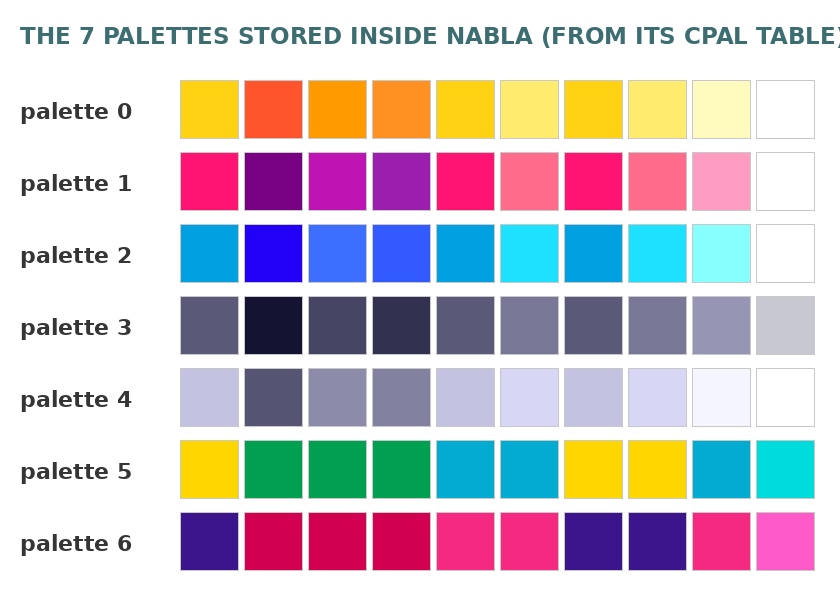
Palette 0 is the sunny scheme in the specimen. Palette 3 is all greys, for a deliberately drained look; palette 2 is blues. Software that understands palettes can swap the whole scheme in one move, and on the web CSS can override individual slots, which is the subject of the web section below. It is the closest thing fonts have to a theme.
Browser support in 2026: one holdout
Color support split along format lines, and the honest summary is different per format (figures from caniuse, checked October 2026, with details on MDN):
- COLR v0 works everywhere. Chrome 71+, Firefox 32+, Edge, Safari and iOS Safari (modern versions), Samsung Internet: the flat-layer format is a decade old and universal.
- COLR v1 works everywhere except Safari. Chrome 98+, Edge 98+, Firefox 107+, Opera, Samsung Internet all render the gradient version. Safari, on Mac and iOS, still does not render COLR v1 as of late 2026. A v1-only font served to Safari falls back, gracefully or not (see the fallback section).
- OpenType-SVG is the Firefox and Safari lane. Firefox has supported the SVG table for years and Safari renders it too; Chrome and Edge never adopted it, which is why Google Fonts serves its color families in COLR form.
- Bitmap color is the emoji path: rendered by the systems that ship those emoji fonts (Android, ChromeOS, Linux for Noto; Apple platforms for Apple’s), and by Chrome on the platforms where it uses Noto.
The design consequence: a color font that must work for everyone on the web carries COLR (v1 for richness) plus, ideally, the SVG table as Safari insurance, exactly the belt-and-braces packaging Nabla uses. And the developer consequence is to specify fallbacks on purpose, next section.
How to use color fonts on the web
Loading one is an ordinary @font-face; nothing about the declaration is special, because the color tables ride inside the file:
@font-face {
  font-family: "Nabla";
  src: url("/fonts/nabla.woff2") format("woff2");
  font-display: swap;
}
Palette control is the color-font-specific part. The font-palette property picks one of the font’s built-in palettes by name or index:
.headline { font-family: "Nabla"; font-palette: --ocean; }

@font-palette-values --ocean {
  font-family: "Nabla";
  base-palette: 2;              /* start from the font's blue palette */
  override-colors: 0 #bfefff;   /* then recolor slot 0 by hand */
}
base-palette counts the palettes the font ships (Nabla’s run 0 to 6), and override-colors lets you restyle individual slots without a custom font build, which is the web-native version of the theme idea above. font-palette support (Chrome 101+, Firefox 107+, Safari and iOS in current versions) is broad enough to use with a normal default as the graceful state: where palettes are not understood, the font simply renders in its designer’s default scheme, palette 0.
Two habits keep color fonts from embarrassing anyone:
- Declare a monochrome-safe stack. Behind the color font, name a plain display font. Where the color tables are ignored (older software, some email clients, Safari meeting a v1-only font), the reader should land on respectable flat type rather than a system surprise.
- Watch the file weight. Color tables, gradients, and stored pictures add up. Bitmap emoji fonts run to many megabytes; that is fine for an operating system and unacceptable for a web page. Web color fonts should be subset to the characters actually used, like any display font.
Which design software renders them, and how
Support in design apps is format-by-format, and every app has a favorite:
- Illustrator and Photoshop: Adobe backed the OpenType-SVG format early. Trajan Color Concept, the color Trajan used as the demonstration piece, shipped with Photoshop CC 2017, released in November 2016, and Illustrator and InDesign support for SVG color fonts followed in CC 2018. SVG-table fonts work there. COLR support in Adobe apps has historically been partial, so Adobe is the place to prefer the SVG flavor.
- InDesign: current versions accept color fonts (the SVG flavor) for layout work. As with variable fonts, InDesign was the last of the trio to settle; verify in your version before a deadline rides on it.
- Figma and Sketch: browser-based tools lean on the browser’s font stack, so COLR behaves there the way it does in Chrome and Firefox; the SVG flavor is the patchy one. The practical test in any design tool is the one-minute smoke test: type an emoji. If the emoji renders in color, the app’s color path works at all, and you can then test your specific font. A ready-made browser version of the same test is emoji.party , which renders one string through your device’s emoji font, Google’s color font, and two artwork sets side by side; if the color survives there, the browser’s color path is alive.
- Operating systems: text fields and pickers on Windows and Android render their COLR and bitmap emoji in color everywhere; macOS and iOS render Apple’s bitmap emoji. A desktop color display font installed on any of them will preview in color in the system’s own pickers when the format matches the platform’s preference (COLR on Windows, SVG and bitmap on Apple platforms).
And the trap that gives this section its reason to exist: when an app cannot read a font’s color tables, nothing warns you. The font does not error. It just renders in flat black from whatever plain outlines the file carries, like this:
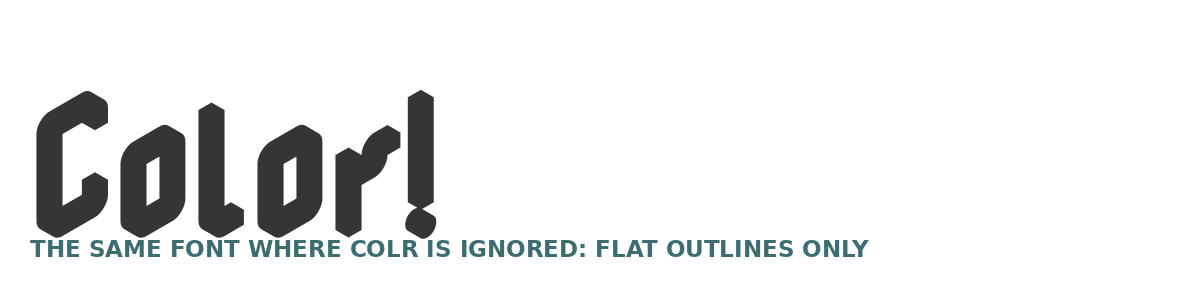
Same file as the golden specimen at the top of this post. In a busy studio, that black version has sailed into print more than once. Checking one proof in the actual output app, at the actual output size, is the whole defense.
Making a color font
The authoring side splits by format. Our guide to making your own font covers the editors in depth; the color-specific short version: Fontself (the Illustrator and Photoshop extension from that guide) was built for color work and exports OpenType-SVG fonts from layered artwork; BirdFont’s paid tiers export color fonts alongside their variable support; and the professional editors, Glyphs and FontLab, author COLR palettes and layers directly for the v0 and v1 formats. Whichever route, budget the time for the palette design itself: a color font makes the color choices part of the typeface, which means making them well, for every letter, is now the designer’s job (it used to be the user’s).
The checklist before you ship one
- Format vs audience: COLR v1 for Chrome, Edge, and Firefox readers; add SVG or accept the flat fallback for Safari; never serve a multi-megabyte bitmap font over the web.
- Palette discipline: pick or define the palette in CSS, and check the default palette against your background color. The designer’s sunny scheme on your dark page is a contrast problem you chose.
- One flat proof: render the piece once with the color tables ignored (an older app, a print proof) and confirm the fallback is presentable. Flat-but-fine is a strategy; flat-and-unnoticed is an accident.
- Licensing: a color font licenses like any other font; the license types and traps are the ones in our font licensing explainer, unchanged by the artwork inside.
Color fonts spent a decade as “the emoji thing”. The COLR v1 generation, fonts like Nabla with gradients and palettes in a single ordinary file, is quietly becoming display type’s next default. Just check Safari before you fall in love.