· guides, reference
Can I use this font for that? Font licensing decided use by use
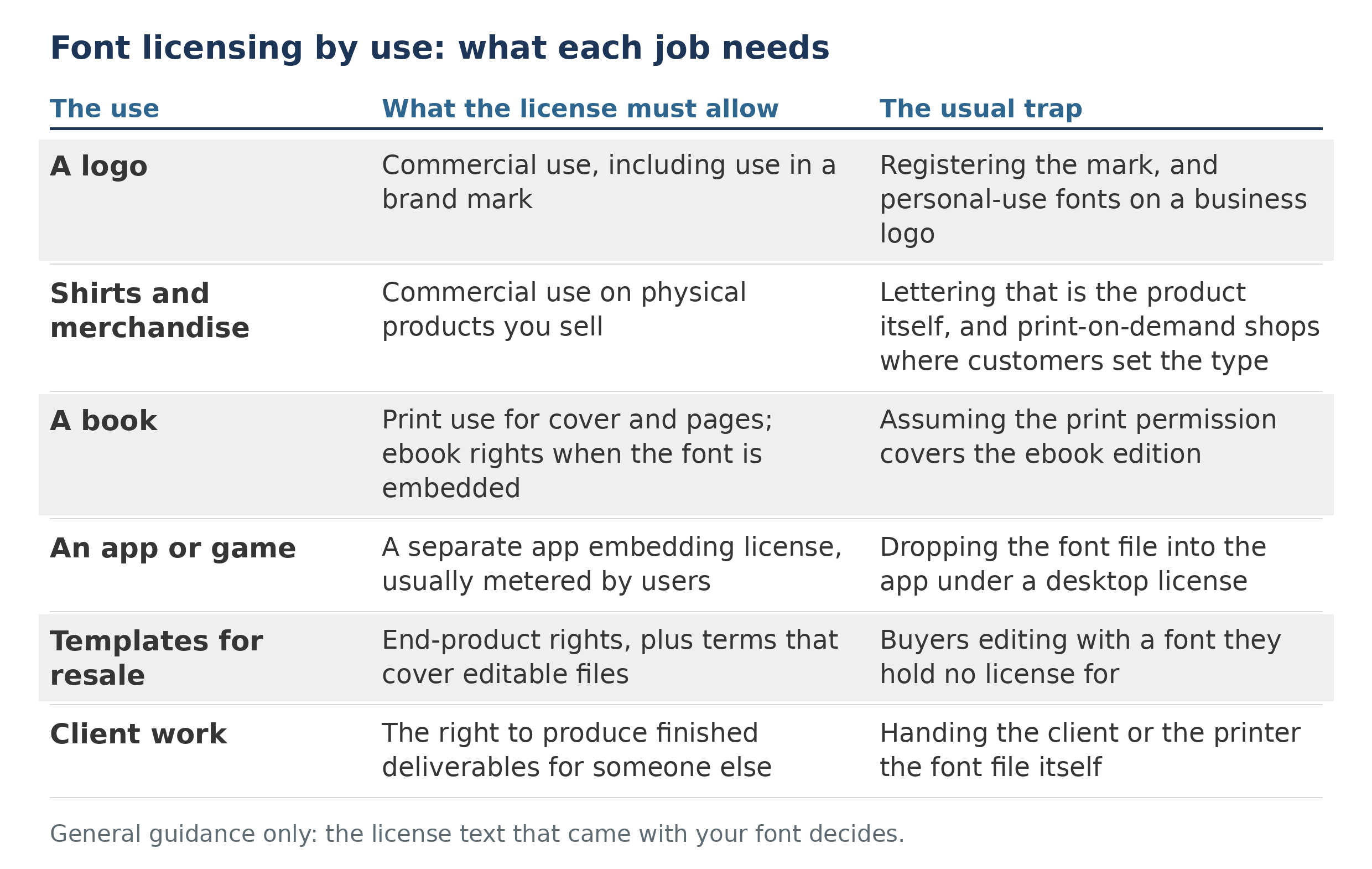
Every licensing question is really a question about one job. The license must allow that job: commercial use for anything sold or used to raise money, a separate embedding right for apps and ebooks, and end-product rights for anything resold. Find the clause that names your use, because the download label never decides it.
Our general explainer, font licensing explained, covers the license families themselves; this page starts where most readers start: with a finished plan and one question. Can I use this font for this? Work through the six jobs below; where your job is not listed, the closing section gives the check that answers any use. One test decides more cases than any other: personal use means use that generates no income, directly or indirectly. Anything sold, or used to raise money, is commercial, and a nonprofit selling shirts is doing commercial work exactly as a business is.
The platform answers: Google Fonts, Adobe Fonts, Canva
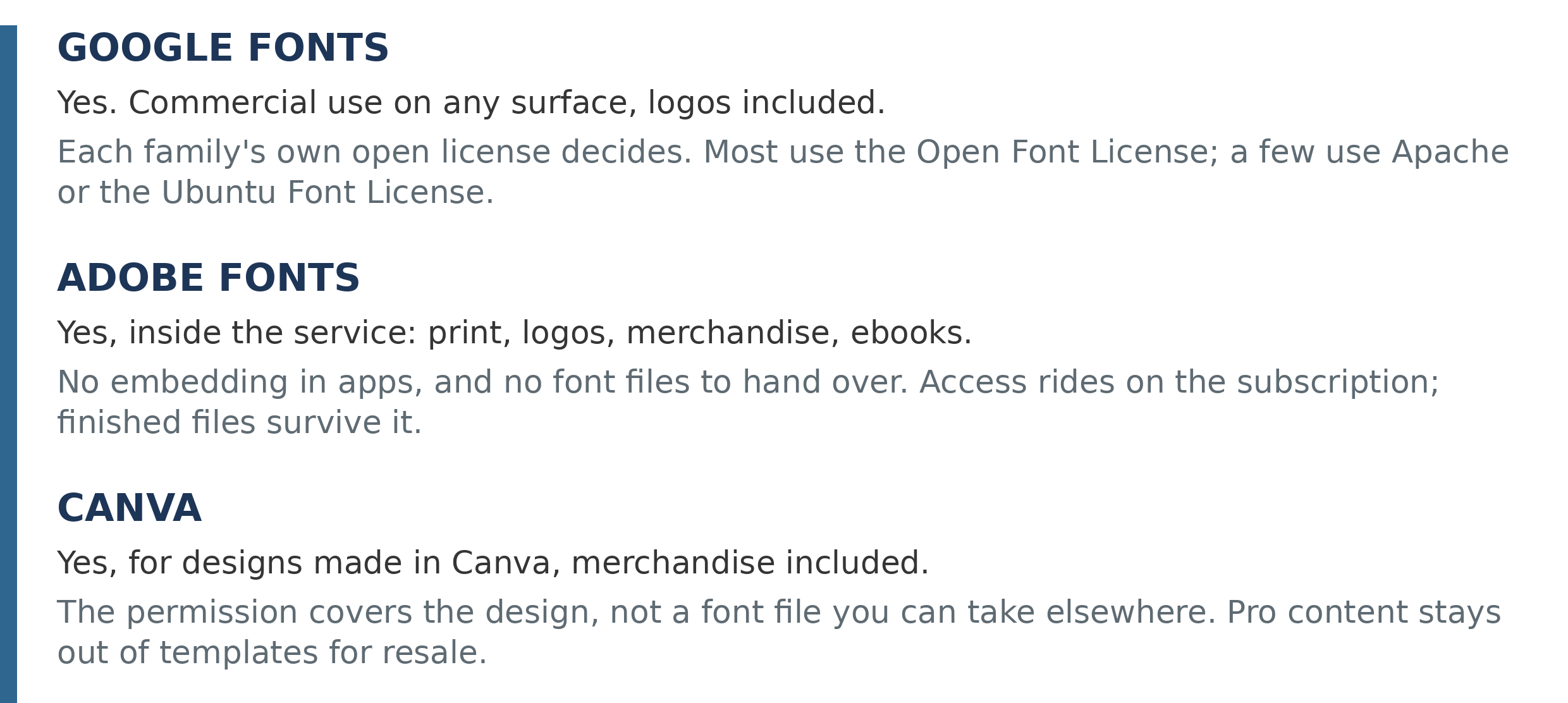
Most permission questions are not really about a use. They are about a source, and three sources account for most of them. Each answers the commercial question yes, and each attaches a different condition.
Google Fonts: yes, under each family’s own license. Google states it plainly in its own FAQ: every font in the catalog is open source and free to use commercially, in logos, in print, on websites, in apps and ebooks, and inside products sold commercially. The precision that matters is that the permission is not a blanket grant from Google. It is each family’s own license, named on the family’s page: most use the Open Font License, and some use the Apache License or the Ubuntu Font License. Those licenses put their conditions on redistribution and modification (keep the license text with the files, do not sell the font by itself, rename a modified version where a name is reserved), not on use. For every job in this guide, a Google Fonts family clears the commercial gate, with the family’s license kept as the document of record.
Adobe Fonts: yes for design work, inside the service. Adobe’s licensing FAQ allows commercial projects, logos (the logo may be registered as a trademark; the typeface itself may not be claimed), merchandise for commercial sale with no cap on the number of items, and embedding in ebooks in protected formats. The boundaries are about the file and the service rather than the artwork: the fonts may not be embedded in apps, may not be packaged or handed to a client or a printer (who each need their own subscription or license), and may not power a product where customers set their own text. Access also rides on the subscription, so a lapse splits your output the way the client section below describes: finished files keep working, and live documents lose the font.
Canva: yes, for designs made in Canva. Canva’s fonts are content under its Free and Pro content licenses, and Canva’s licensing page allows designs to be used commercially, expressly including printing them on products for sale such as shirts, mugs, and books. The permission attaches to the design you made, not to the font as a file: there is no font file to carry into other software, and using the same typeface outside Canva needs a license from its own foundry. Two of Canva’s own conditions bite in practice. Library content generally cannot be used in a trademark, with fonts expressly excepted, though a logo set in a shared library font is one other users may produce as well. And Pro content may not be used in templates for resale, except templates created for use on Canva itself.
A logo
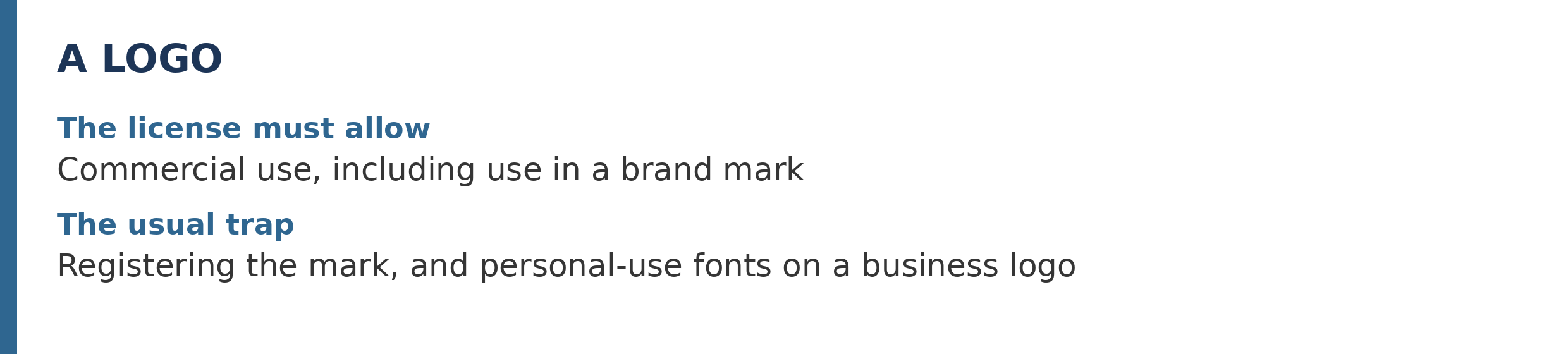
A logo is commercial use by definition, so the first gate is the plain one: the license must allow commercial work, which is where free-for-personal-use fonts fail before anything subtler comes up. Past that gate, check whether the license speaks about logos at all. Many desktop licenses allow logo use without naming it, some sellers license it expressly, and some add conditions at the point designers care most about: registering the design as a trademark. Conditions in real license terms include requiring the lettering to be modified, or not dominant, before a mark can be registered, and a near-universal limit that whatever you register, you acquire no rights in the font itself. A logo you may use is not always a logo you may register, so read for the trademark sentence, not just the commercial one.
Shirts and merchandise
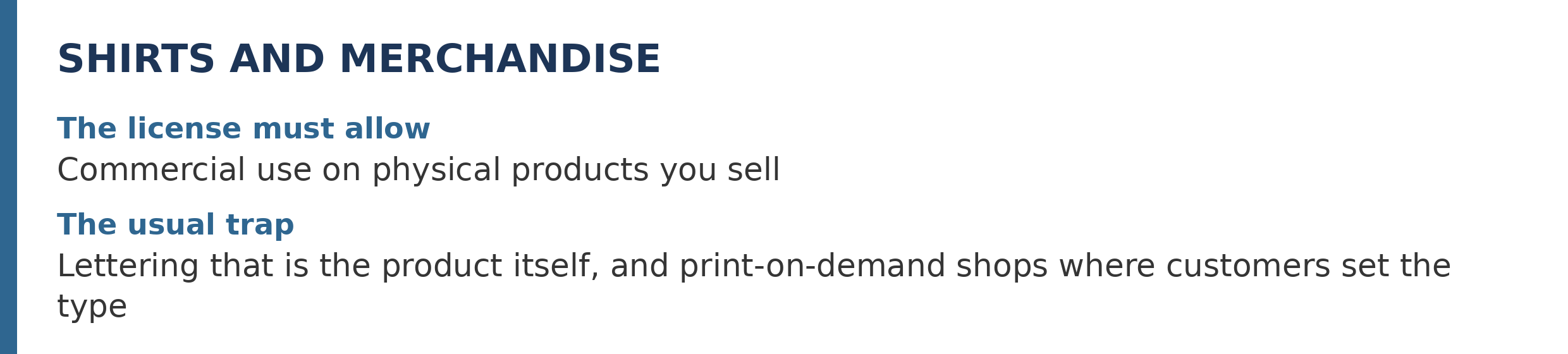
Merchandise passes the income test in the clearest way there is: the item is for sale, so the license must allow commercial use on physical end products. Broad commercial licenses commonly allow exactly that, sometimes with no cap on units. Two traps live inside the permission. The first is the design where the lettering is the product: a shirt whose whole appeal is one word in one font, or a design built from a font’s dingbats, is restricted by some licenses that happily allow the same font inside a larger composition. The second trap is print on demand. Selling shirts you designed is merchandise; running a shop where customers type their own words and the font sets them is a typesetting service, a different right that many licenses reserve or forbid outright. If buyers can change the text, you have left merchandise behind.
A book
A printed book is two jobs wearing one coat. The cover is artwork, and the interior is typesetting; ordinary desktop and commercial licenses generally cover both in print. The ebook is a third job, and it is not print. An EPUB carries the font file inside it, which makes the ebook an embedding use, licensed separately by many sellers, sometimes per title, with the font required to be embedded in obscured, non-extractable form. The standard mistake is assuming the permission that covered the paperback follows the same words into the ebook edition. It follows only if the license says so, so check for an ebook or embedding clause before the digital edition ships.
An app or game
An app ships the font file to every user, and that act, embedding, is the right that desktop licenses most consistently hold back. Sellers who license apps at all usually do it as a separate product, priced by a meter such as monthly active users, with conditions like subsetting the font and keeping it from being extractable. Text rendered to a picture inside the app is not embedding; live text set in the font, including anything a user can type into, is the font at work and needs the embedding right. The trap is mechanical, which is why it catches careful people: the font file drops into the project folder like any other asset, and nothing complains until the license is read. Read it before the build does.
Templates and products for resale
Resale splits on one question: what exactly does the buyer receive? A finished end product travels under the same commercial rules as anything else you sell. An editable template is a different object. If the buyer opens it and changes the words, the font is working on their machine, and your license does not follow your file into their hands: licenses are granted to a named licensee and are not transferable by bundling. Including the font file itself in the download is redistribution, the one act nearly every license forbids in plain words. So a template business runs on one of two honest shapes: sell flattened end products, or sell templates whose buyers are told to hold their own license for editing. The trap is the middle shape, editable files plus the font in the zip, which is also the most common one for sale.
Work for clients
Client work feels like it should move the license problem to the client. It does not. You hold the license, so you may produce the work; the client receives the deliverables, not your license and not the font. Finished files travel fine: the printed piece, the flattened logo, the PDF with fonts embedded where the license permits. What may not travel is the font file, to the client who wants to edit the text, or to the printer who asks you to package it with the job; both need their own license or subscription, a point major services state outright. One related trap arrives later: if your access came from a subscription that lapses, static output you already made keeps working, while live documents that still reference the font for editing do not. Outline or embed the work you must keep before the subscription ends.
How to decide for your font
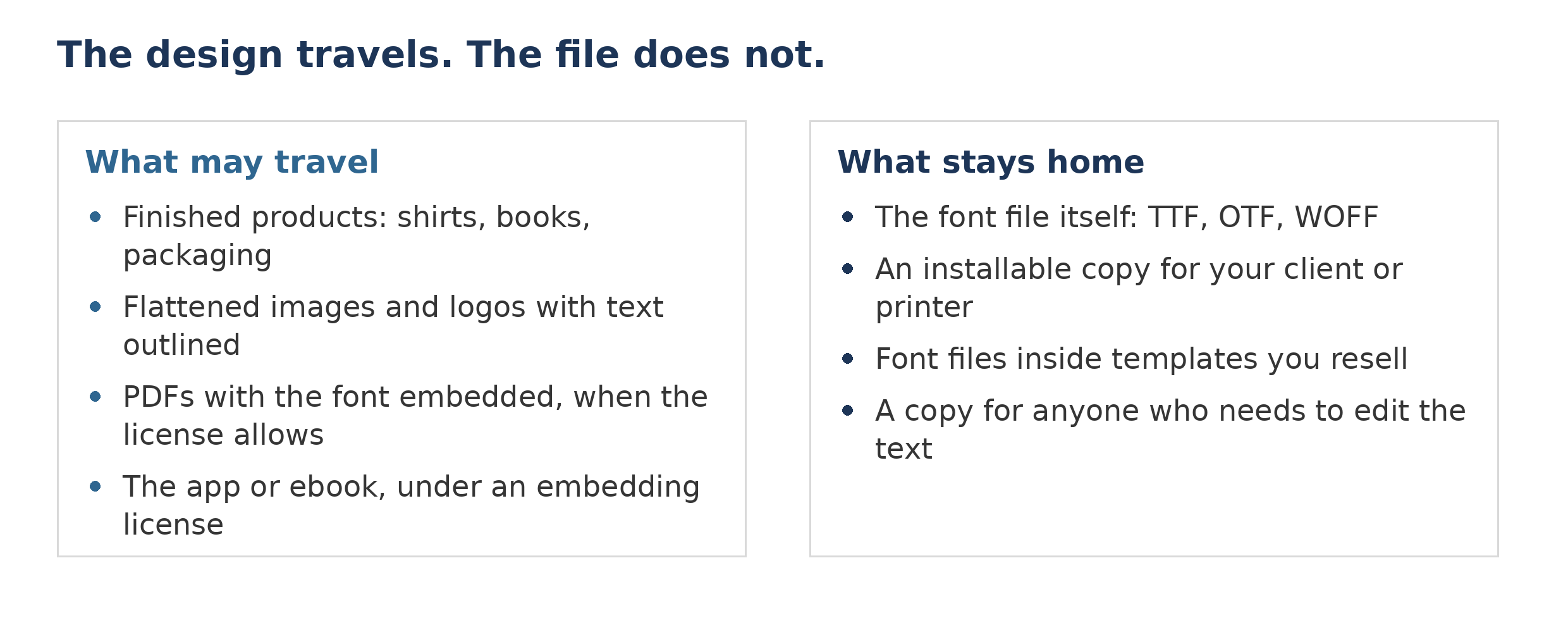
Every answer above came from the same five-minute check, which works for uses this page never mentions. First, find the actual license: the readme or license file inside the download is the document, and the one-word label on a download page is only its summary. On FontSpace, the license line on a font’s page tells you the family of terms to expect, and the file inside the download carries the commercial detail that decides close cases. Second, find the clause that names your use: desktop, embedding, merchandise, and resale are separate grants, and a license covers the ones it names. Third, separate the design from the file: using a font to make a thing is one act, handing someone the font is another, and the second is restricted even when the first is free. Fourth, when the text is silent about your use, the answer is not yes by default; ask the foundry, in writing, before the project depends on it. The exception that proves the system: Open Font License fonts answer all six jobs above with a yes under a short list of conditions, which is why checking, rather than assuming the best or the worst, is the whole skill.